
We have not tested these products. This comparison is reasoned from manufacturer specifications, documentation and warranty terms. How we test
If you buy through a link on this page we may earn a commission. Retailers do not pay for reviews or placement. Prices are shown as bands, never as figures — the live price is at the retailer. As an Amazon Associate I earn from qualifying purchases. How we make money
On this page
A power supply is bought on four numbers, three of which are less important than people think. Here is what to check, in order.
Capacity, and the arithmetic behind it
Add the graphics card figure and the processor figure published by their manufacturers, allow roughly seventy-five watts for the board, drives, memory and fans, and buy above the total rather than at it.
The reason for the margin is not safety alone. Supplies are most efficient and quietest near half load, and one running close to its ceiling is hot, audible and ageing faster than it needs to. The margin buys quiet and years, not just insurance — see our wattage calculation for how to size that margin against your own parts.
The rail that matters
Almost everything demanding in a modern machine draws from the twelve-volt rail. The continuous rating on that rail is the real capacity of the unit, and it is the figure a good manufacturer publishes clearly and a poor one does not.
Connectors, and the adapter question
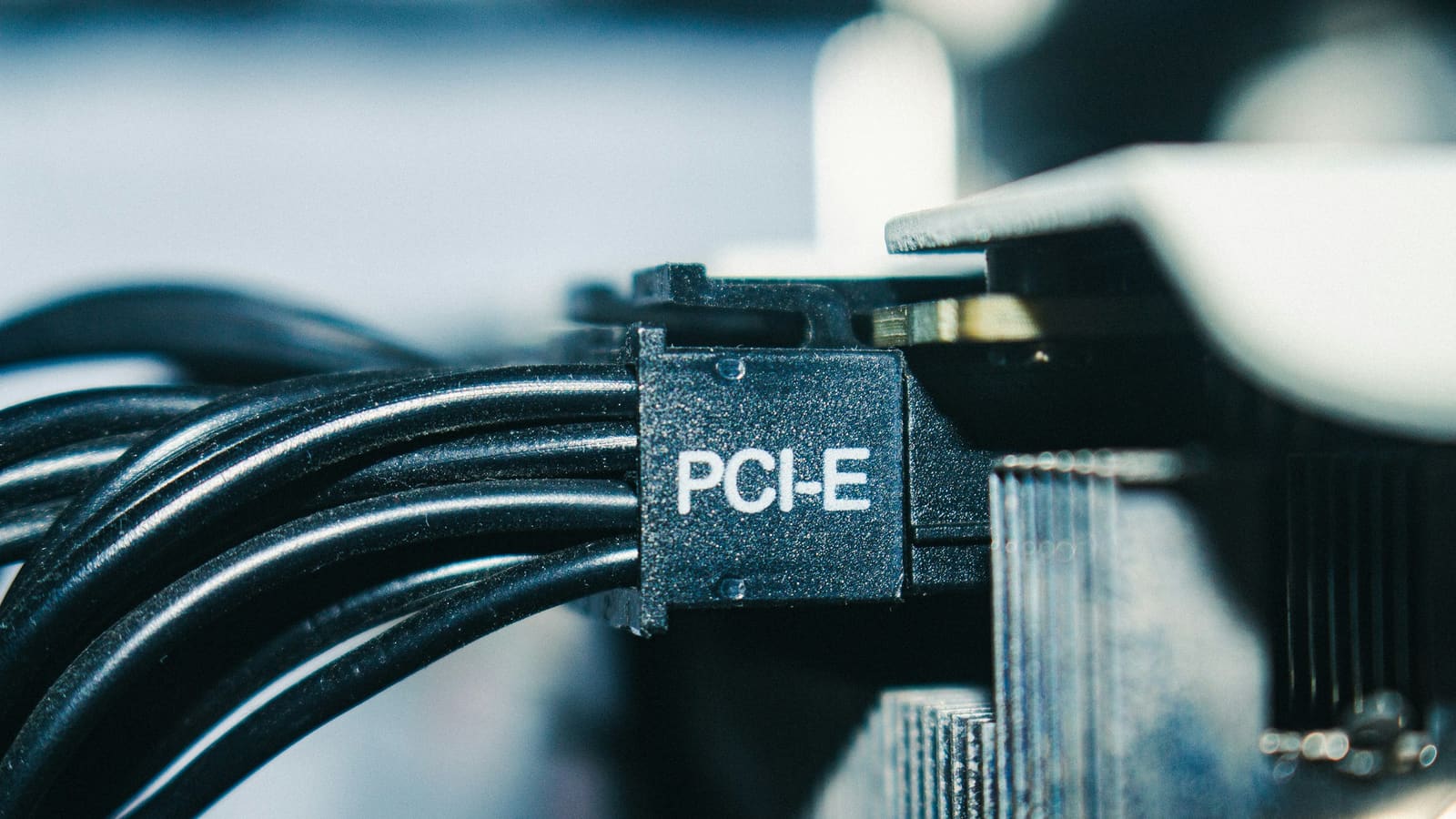
Confirm the supply carries the connectors your graphics card actually needs, natively. Adapters work and they introduce a junction into the highest-current path in the machine, which is not where you want a compromise.
Count the connectors as well as identifying them. A card wanting two separate feeds should get two separate cables rather than one cable with two ends.
Physical fit
Check the format your case accepts, the maximum depth it allows, and whether there is room for the cables to bend once they leave the unit. The last of those is the one people forget, and it is the one that turns a build into an argument — a fully modular unit gives you the most control over it.
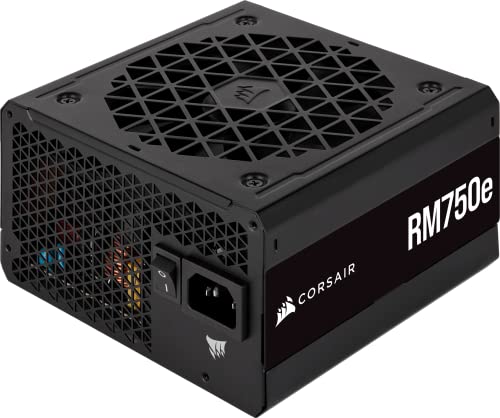
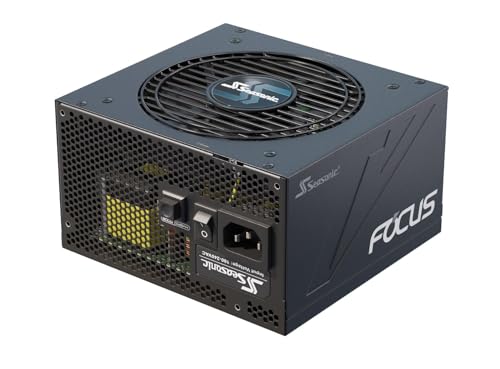
The Corsair RM750e (at Amazon, opens in a new tab) covers this arithmetic comfortably for most single-card builds, and the Seasonic Focus GX-850 (at Amazon, opens in a new tab) is the one to reach for when the card is larger or you plan to upgrade it later. The rest of the shortlist is in our recommended power supplies.
How we assessed these
No electrical testing was performed. This guide rests on published specifications, on manufacturer warranty terms and service records, and on the physical constraints of real cases. The compatibility checker will do the capacity arithmetic against your parts list.
Free tool PC Build Compatibility Checker — Will your GPU, PSU, cooler and case actually fit together?What we recommend
 (opens Amazon in a new tab)
 - Band
- $$ Mid tier
Corsair RM750e
The default answer for a single-card build: enough capacity, long warranty, quiet.
- Capacity suits the majority of single-card systems
- Long warranty from a manufacturer that honours it
- Silent at idle and low load
- Not enough headroom for a flagship card
- Physically standard, so no help in compact cases
 (opens Amazon in a new tab)
 - Band
- $$$ Upper-mid tier
Seasonic Focus GX-850
Buy this when the graphics card is large, or when you plan for it to be later.
- Headroom for demanding cards and future upgrades
- Excellent long-term service record
- Stays quiet under sustained load
- Premium price for capacity many builds never use
- Length can be tight in smaller enclosures
Questions people ask
What does the efficiency certification actually measure?
It measures how much of the power drawn from the wall reaches your components rather than becoming heat, tested at several load levels. The practical consequences are a slightly smaller electricity bill and slightly less heat dumped into the room, both of which are real and both of which are small. Its more useful role is as an indirect signal: hitting a higher efficiency target requires better internal components, so the certification tends to correlate with build quality even though it does not measure it.
Does the physical size matter?
Yes, in two ways people discover late. Standard supplies vary in depth, and a longer unit in a compact case can collide with a drive cage or leave no room to route the cables that come out of its end. Separately, some small cases require a different form factor entirely rather than a shorter standard unit. Check the case specification for both the format it accepts and the maximum depth, and remember to allow for the cable bend radius beyond the unit itself.
How long should a power supply last?
A good one should outlast two builds, which is why it is the component most worth over-specifying. Heat and load are what age it: capacitors degrade faster when hot, and a unit permanently near its capacity runs hot as a matter of course. A supply chosen with headroom, in a case with reasonable airflow, is doing easy work and will keep doing it for many years. One chosen to exactly match its load is doing hard work every day.
