

We have not tested these products. This comparison is reasoned from manufacturer specifications, documentation and warranty terms. How we test
If you buy through a link on this page we may earn a commission. Retailers do not pay for reviews or placement. Prices are shown as bands, never as figures — the live price is at the retailer. As an Amazon Associate I earn from qualifying purchases. How we make money
On this page
Cooling a computer is a plumbing problem. Heat is produced in a few known places, it has to get into the air, and that air has to leave. Almost every cooling decision is about one of those three steps.
Where the heat comes from
The graphics card and the processor, in that order, and it is not close. In a gaming machine under load the card typically produces more heat than everything else combined, and its cooler dumps that heat directly into the case rather than out of it.
That single fact drives the rest. Case airflow exists mostly to remove the heat the graphics card has just added to the air around it.
The three steps
Into the cooler. Decided by mounting pressure and contact quality far more than by thermal paste brand. An unevenly mounted cooler underperforms in a way no component upgrade fixes — the Thermalright Peerless Assassin (at Amazon, opens in a new tab) is a good example of how much fin area a correctly mounted budget cooler can offer.
Into the case air. Decided by fin area and fan quality. This is what you are buying when you buy a bigger cooler.
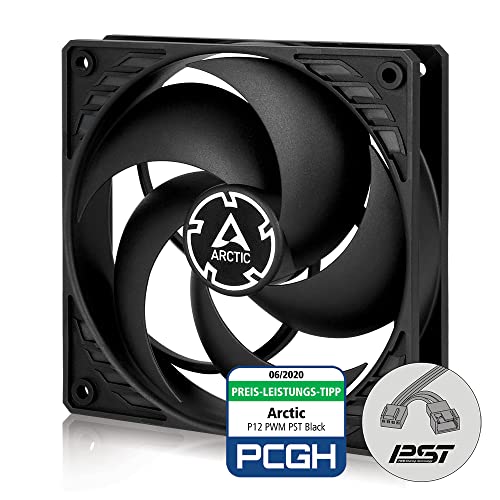
Out of the case. Decided by intake restriction and airflow path. A machine with excellent components and a choked front panel runs hot regardless. Cheap fans such as the Arctic P12 PST (at Amazon, opens in a new tab) are enough to fill a front-to-back arrangement properly.
The decisions that actually matter
An unrestricted intake. Three fans in a coherent front-to-back arrangement. A cooler with enough fin area for the processor, mounted evenly. And, if you are willing, an afternoon spent undervolting, which reduces heat at the source rather than moving it around afterwards.
For the choice between the two dominant cooler types, see our comparison of air versus liquid cooling, and for a wider shortlist, our picks for the best CPU coolers.
How we assessed this
The principles here are thermodynamics and airflow geometry rather than product claims. Where specific products are named, the judgement rests on published specifications and design rather than on measurements we took, and the evidence note at the top of this page says so.
Free tool PC Build Compatibility Checker — Will your GPU, PSU, cooler and case actually fit together?What we recommend
 (opens Amazon in a new tab)
 - Band
- $ Budget tier
Thermalright Peerless Assassin 120 SE
The cheapest cooler that makes the cooling question stop being a question.
- Dual-tower performance at a single-tower price
- No pump, so nothing wears out
- Handles mainstream processors easily
- Tall enough to need a clearance check
- Installation usually means removing the motherboard
 (opens Amazon in a new tab)
 - Band
- $ Budget tier
Arctic P12 PST
Competent fans cheap enough that filling every position stops being a decision.
- Real static pressure behind filters
- Cheap enough to buy several at once
- Chainable connectors reduce clutter
- Audible at full speed
- No lighting or styling to speak of
Questions people ask
What temperature is too hot?
Modern processors and graphics cards are designed to run hot and will reduce their own clock speeds before they come to harm, so the number that matters is not a damage threshold but a performance one. If a component is reaching its thermal limit and throttling under sustained load, you are losing performance you paid for. If it runs warm but never throttles, it is working as intended. Check for throttling under a long load rather than watching a temperature reading at idle and worrying about it.
Does cable management improve temperatures?
In a large case with a cable compartment, barely at all, and the claim is mostly repeated because tidy builds photograph well. In a compact case it genuinely matters, because there is nowhere for a bundle of unused cables to go except into the path the intake air was supposed to take. The honest summary is that cable management is an assembly and maintenance benefit almost everywhere, and a thermal benefit specifically in small enclosures.
Should I undervolt?
It is the most effective single change most people never make. Both processors and graphics cards ship with voltage margins set conservatively enough to cover the weakest chip of a given model, which means most individual chips will run stably at noticeably lower voltage. Less voltage means less heat, which means slower fans and less noise, usually for no measurable loss of performance. It costs nothing but an afternoon of testing for stability.