
We have not tested these products. This comparison is reasoned from manufacturer specifications, documentation and warranty terms. How we test
If you buy through a link on this page we may earn a commission. Retailers do not pay for reviews or placement. Prices are shown as bands, never as figures — the live price is at the retailer. As an Amazon Associate I earn from qualifying purchases. How we make money
On this page
The short version
If the board has a free fast slot, this is simply the better way to spend the money.
See at Amazon — WD Black SN850X (opens in a new tab)Still the right answer for bulk storage, older machines and boards with no slots free.
See at Amazon — Samsung 870 EVO (opens in a new tab)The specification gap between the two formats is large. The experiential gap is much smaller, and knowing where it shows up is the whole decision.
Where the fast format wins
Large transfers. Installing a game, copying a video project, moving tens of gigabytes. This is where several times faster actually feels several times faster.
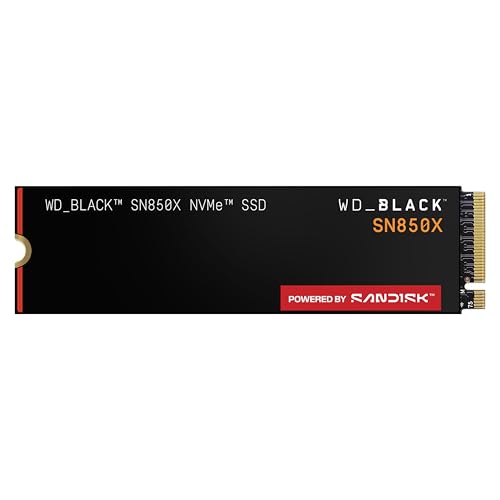
Physical simplicity. It mounts directly to the board with one screw and needs no cables at all, which in a small case is worth something on its own — the WD Black SN850X (at Amazon, opens in a new tab) is a typical example of the format.
Where it does not
Game loading, mostly. The bottleneck is decompression and processor work rather than the drive.
Ordinary use. Launching applications, browsing, working. Both formats are fast enough that the difference disappears.
The practical answer
If the board has a free fast slot, use it — the price gap has narrowed to the point where there is little reason not to. If the slots are full, or the machine is older, the conventional format is not a compromise for bulk storage; the Samsung 870 EVO (at Amazon, opens in a new tab) is simply the right tool for that job.
For the fitting itself, see our guide to installing an M.2 SSD, and for a wider shortlist, our picks for the best SSDs for gaming.
How we compared these
This comparison rests on the published characteristics of the two interfaces and on where storage sits in the chain of work a machine does. No drives were benchmarked here.
Free tool PC Build Compatibility Checker — Will your GPU, PSU, cooler and case actually fit together?The picks
 (opens Amazon in a new tab)
 - Band
- $$$ Upper-mid tier
WD Black SN850X
If the board has a free fast slot, this is simply the better way to spend the money.
- No cables, mounts directly to the board
- Holds its speed well as the drive fills
- Substantially faster for large file transfers
- Occupies a slot that may share lanes with expansion
- Runs warmer than the older format
 (opens Amazon in a new tab)
 - Band
- $$ Mid tier
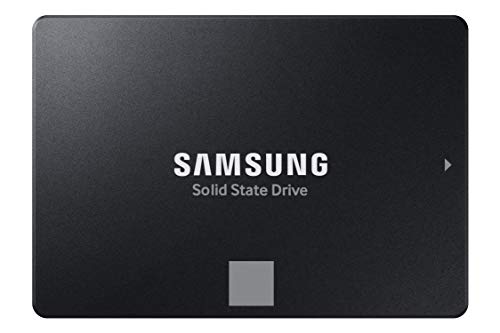
Samsung 870 EVO
Still the right answer for bulk storage, older machines and boards with no slots free.
- Works in essentially any machine
- Performance stays consistent regardless of fill
- Long and well-documented reliability record
- Several times slower in sequential transfers
- Needs a cable, a power lead and a mounting point
Questions people ask
Will I notice the difference in games?
Rarely, and less than the specifications suggest. Game loading is limited more by decompression and processor work than by how fast the drive delivers data, so the gap between the two formats in a loading screen is usually a fraction of a second. Where you will notice it is copying large files, installing games, and any task that moves tens of gigabytes at once. Both formats are transformatively faster than a mechanical disk, and that is the jump that actually changes how a machine feels.
Can I use both in the same machine?
Yes, and it is a sensible arrangement. A fast drive for the operating system and the games you are currently playing, and a larger conventional solid-state drive for everything you want to keep but do not launch every day. That gives you responsiveness where it is noticeable and capacity where it is cheap. Just check the shared-lanes table in your board manual, because populating certain slots can disable the connections you were planning to use.
Does the faster format need a heatsink?
The high-performance drives benefit from one, and most current boards include one for at least the primary slot. A drive that gets hot reduces its own speed to protect itself, which turns your fast drive into a slow one exactly when you are working it hardest. If your board provides a heatsink, use it: it costs nothing and it is already there. Budget drives run cool enough that it matters much less.