
We have not tested these products. This comparison is reasoned from manufacturer specifications, documentation and warranty terms. How we test
If you buy through a link on this page we may earn a commission. Retailers do not pay for reviews or placement. Prices are shown as bands, never as figures — the live price is at the retailer. As an Amazon Associate I earn from qualifying purchases. How we make money
On this page
Four decisions, in this order, and the first one closes off most of the choices for you.
1. Socket
The processor decides the socket and the socket decides the boards. There is no flexibility here, and it is the first filter to apply.
What is worth thinking about is how much life the socket has left. A socket at the end of its run means your next processor upgrade is a new board and new memory as well.
2. Chipset
The chipset sets how many fast connections the board can offer and how they are divided. Higher chipsets give more storage slots at full speed, more expansion, more rear connectivity, and usually the ability to overclock.
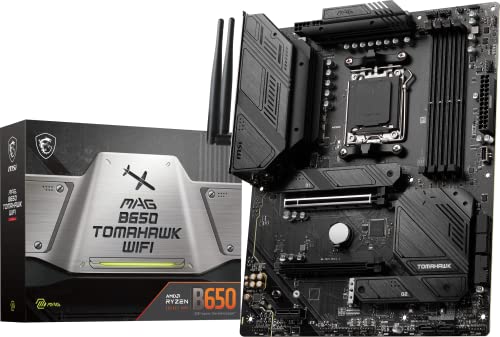
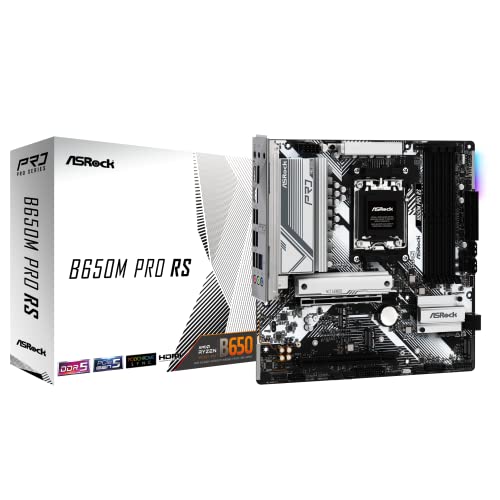
For a processor, a graphics card and two drives, the mid tier has everything you will use. The MSI MAG B650 Tomahawk WiFi (at Amazon, opens in a new tab) is a common example of that tier done well, and the ASRock B650M Pro RS (at Amazon, opens in a new tab) covers the same socket at a lower entry point. Both sit on our shortlist of the best gaming motherboards.
3. Form factor
Full-size is cheapest for a given feature set and easiest to work in. Smaller formats cost expansion and memory slots and usually cost money too. Pick the case and the board together.
4. Connectivity
Count what you own against what the board offers, at the back and internally, including how many memory slots you actually need — covered in how much RAM you need. Then check the firmware-update facility: a board that can update without a processor fitted removes a whole class of problem.
How we assessed these
This guide rests on published specifications, socket roadmaps as stated by the processor manufacturers, and board manuals. No boards were tested. The compatibility checker will confirm a board suits the rest of your parts.
Free tool PC Build Compatibility Checker — Will your GPU, PSU, cooler and case actually fit together?What we recommend
 (opens Amazon in a new tab)
 - Band
- $$ Mid tier
MSI MAG B650 Tomahawk WiFi
The board most builds should default to: right connectivity, right chipset, right socket.
- Power delivery ahead of what mainstream processors need
- Connectivity that avoids adapters and hubs
- Socket with an upgrade path still ahead of it
- Fewer fast drive slots than premium boards
- Full-size format rules out compact cases
 (opens Amazon in a new tab)
 - Band
- $ Budget tier
ASRock B650M Pro RS
The entry board that keeps the current socket without giving up the essentials.
- Current socket at the lowest sensible price
- Compact format fits small cases
- Adequate for mid-range processors
- Power delivery limits the top processors
- Limited expansion and rear connectivity
Questions people ask
Which form factor should I choose?
Full-size unless something specific rules it out, because it is the cheapest for a given feature set and the easiest to build in. The smaller formats exist to fit smaller cases, and each step down costs you expansion slots, memory slots or both, usually at a higher price for the same features. Choose the case and the board format together rather than separately, and check that your chosen case actually accepts the format you want before ordering either.
How do I know a processor will work in a board?
Check two things, and check both. The socket must physically match, which is the obvious half. Then check the manufacturer support list for that specific board model, which tells you whether its firmware recognises that specific processor and from which firmware version. A board can have the right socket and still refuse to boot a processor newer than its firmware, which is why the ability to update firmware without a processor fitted is worth looking for.
Is a more expensive board more reliable?
Not in a way most people experience. Premium boards have better power delivery, more layers and more connectivity, all of which matter under heavy sustained load or when pushing a processor beyond its stock settings. For a machine running components at their intended settings, a competent mid-range board from an established manufacturer will run for many years. The money buys capability and headroom rather than a lower chance of failure.