
We have not tested these products. This comparison is reasoned from manufacturer specifications, documentation and warranty terms. How we test
On this page
Fitting one of these takes about five minutes. Three details account for nearly every problem.
If you have not chosen a drive yet, our comparison of NVMe vs SATA SSDs and our picks for the best SSDs for gaming cover that decision separately from the fitting steps below.
Before you start
Find the primary slot in the manual, usually the one nearest the processor. While you have the manual open, read what populating the other slots costs, because that is worth knowing before you commit rather than after something stops working.
The standoff
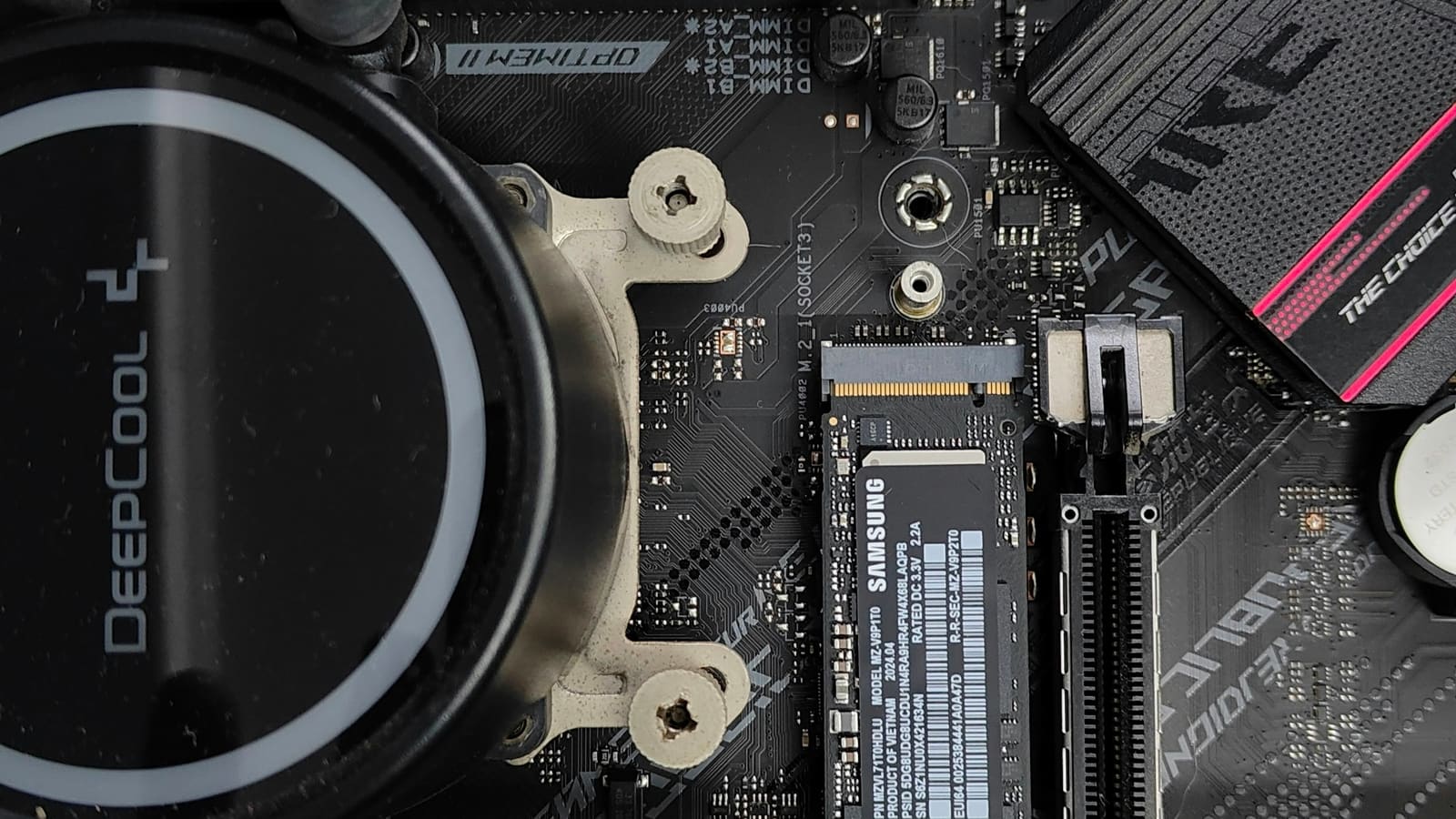
The board has a small threaded post that the end of the drive rests on, and it must be in the position matching your drive length. Boards ship with it in one position and drives come in several lengths.
If the standoff is in the wrong hole, the drive will sit at an angle and either refuse to seat properly or be held under permanent strain. Move the standoff first, before the drive goes anywhere near the slot.
Fitting
The drive goes into the slot at roughly a thirty-degree angle, then presses flat. It should slide in without force; if it resists, the angle is wrong rather than the drive.
Hold it flat and fit the retention screw. It needs to be snug, not tight. This is a very small screw going into a very small post, and overtightening strips one or both.
Afterwards
Start the machine, confirm the firmware sees the drive, then open the operating system disk management tool and initialise it. A new drive is unformatted and will not appear as a usable volume until you set it up, which accounts for most of the “my drive is missing” reports.
Free tool PC Build Compatibility Checker — Will your GPU, PSU, cooler and case actually fit together?Questions people ask
Which slot should I use?
The one the manual identifies as primary, which is usually nearest the processor and is usually the only one connected directly to it rather than through the chipset. That slot is the fastest and it is the one least likely to share its connection with anything else. The manual will also tell you what populating each of the other slots costs you, which is frequently an expansion slot dropping to half speed or a set of ports switching off entirely.
My drive does not appear after installing it. What now?
A new drive is not formatted, so it will not appear in the file manager even when the machine can see it perfectly well. Look in the operating system disk management tool first, where an uninitialised drive shows up as unallocated space waiting to be set up. If it is absent there too, check the firmware, then reseat the drive and confirm the retention screw is holding it flat rather than at an angle, which is the most common physical cause.
Do I need the heatsink?
For a high-performance drive, yes, and if your board came with one it is already the easiest option. Fast drives get hot under sustained load and reduce their own speed to protect themselves, so the drive you bought for speed becomes slow exactly when you are pushing it. Remember to peel the protective film off the thermal pad before fitting the heatsink, because leaving it on is a genuinely common mistake and it insulates rather than conducts.