
We have not tested these products. This comparison is reasoned from manufacturer specifications, documentation and warranty terms. How we test
If you buy through a link on this page we may earn a commission. Retailers do not pay for reviews or placement. Prices are shown as bands, never as figures — the live price is at the retailer. As an Amazon Associate I earn from qualifying purchases. How we make money
On this page
The short version
The single change that makes an old machine feel new, and it fits essentially anything.
See at Amazon — Samsung 870 EVO (opens in a new tab)If the board has a free fast slot, this is more capacity and more speed for the money.
See at Amazon — Crucial P3 Plus (opens in a new tab)The fix for a machine that stutters and pauses rather than one that is simply slow.
See at Amazon — Corsair Vengeance DDR5 (opens in a new tab)Upgrading an older machine is about finding the one change that removes the constraint. Spending evenly across several components is how people spend a lot and feel very little. Our upgrade priority guide walks through how to diagnose which component is actually holding a machine back.
The order that produces results
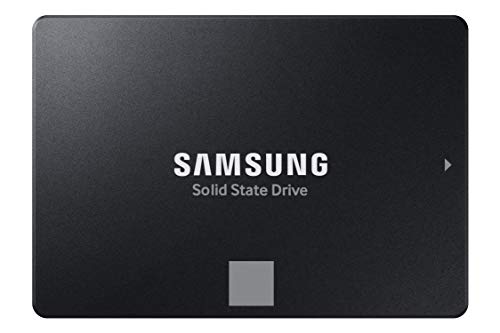
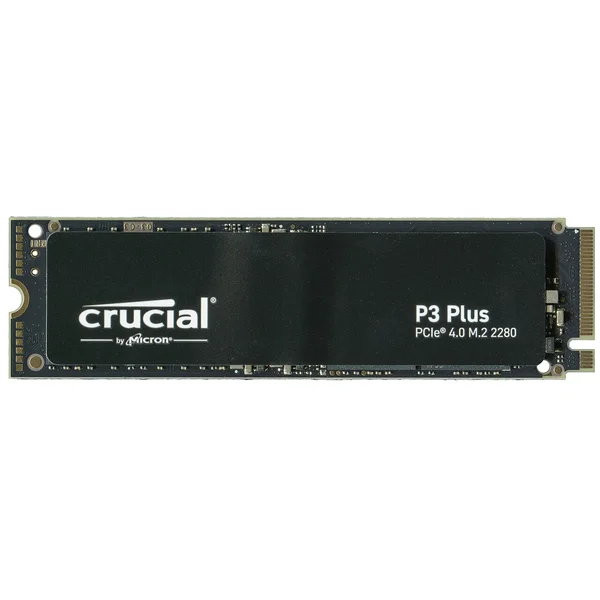
Storage first, if the machine still runs from a mechanical disk. Nothing else available for the money comes close, and the change is felt every single time the machine is used rather than only during games. The Samsung 870 EVO (at Amazon, opens in a new tab) fits almost any machine with a spare drive connection, and if the board has a free fast slot instead, the Crucial P3 Plus (at Amazon, opens in a new tab) gets there with more speed for similar money.
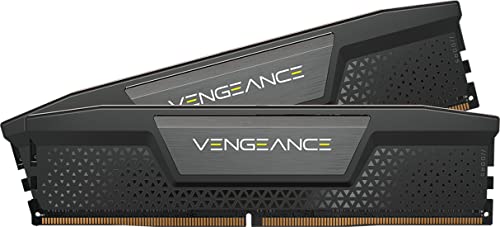
Memory second, if the symptom is stutter and pauses rather than uniform slowness. Memory shortage presents as a machine that hesitates, and it is consistently misdiagnosed as an ageing processor. A matched kit such as Corsair Vengeance DDR5 (at Amazon, opens in a new tab) replaces the whole set at once rather than gambling on mixing with what is already installed.
Graphics third, if games are the complaint and measurement confirms the card is the busy component.
The traps specific to upgrading
An ageing power supply that was adequate for the old card and is not adequate for the new one, and whose capacitors have degraded regardless of its rating. A case that will not take a modern card length. A processor old enough to hold back the card you are fitting.
All three are checkable in advance, and all three are discovered late by people who did not.
How we chose
No parts were benchmarked for this guide. It rests on published specifications, on the observable symptoms of each bottleneck, and on the compatibility constraints of older platforms. The compatibility checker will confirm a part fits before you order. If the checks above point to a new platform rather than a new part, our guide to planning a first build covers where to start.
Free tool PC Build Compatibility Checker — Will your GPU, PSU, cooler and case actually fit together?The picks
 (opens Amazon in a new tab)
 - Band
- $$ Mid tier
Samsung 870 EVO
The single change that makes an old machine feel new, and it fits essentially anything.
- Works in any machine with a spare drive connection
- Transforms boot and application launch times
- Very well-established reliability record
- Slower than the fast format if a slot is free
- Requires a cable and a mounting point

- Band
- $ Budget tier
Crucial P3 Plus
If the board has a free fast slot, this is more capacity and more speed for the money.
- Cheapest route to real capacity at speed
- No cables, mounts directly to the board
- Runs cool without a heatsink
- Write speed drops sharply once the cache fills
- Needs a board with a compatible slot
 (opens Amazon in a new tab)
 - Band
- $$ Mid tier
Corsair Vengeance DDR5
The fix for a machine that stutters and pauses rather than one that is simply slow.
- Directly fixes stutter caused by memory shortage
- Validated against a wide range of boards
- Available in the capacities that matter
- Only fits boards of the matching generation
- Mixing with existing modules is unreliable
Questions people ask
Can I add memory to what is already installed?
You can try, and it is the least reliable way to buy memory. Modules from different kits are not validated to run together even when the printed specification matches, and mixed sets commonly refuse to reach their rated speed or fail to run stably at all. The dependable approach is to replace what is there with a single matched kit of the capacity you want. If you do gamble on mixing, buy from a retailer with a straightforward returns policy.
Will a new drive make games load faster?
Enormously, if you are replacing a mechanical disk, and this is the largest single improvement available to an older machine. If you are already on solid-state storage, moving to a faster solid-state drive changes loading times by a fraction of a second, because game loading is limited by decompression and processor work rather than by raw drive speed. The first jump is transformative and the second is an optimisation.
Do I need to reinstall the operating system on a new drive?
Not necessarily. Cloning software copies the existing installation across and is the fastest route back to a working machine, and most drive manufacturers provide a tool for it free. A clean installation takes longer and leaves you with a machine free of years of accumulated software, which on a genuinely old system is frequently worth the afternoon on its own. Either way, back up anything you cannot replace before you start.
Samsung 870 EVO
The single change that makes an old machine feel new, and it fits essentially anything.