
We have not tested these products. This comparison is reasoned from manufacturer specifications, documentation and warranty terms. How we test
If you buy through a link on this page we may earn a commission. Retailers do not pay for reviews or placement. Prices are shown as bands, never as figures — the live price is at the retailer. As an Amazon Associate I earn from qualifying purchases. How we make money
On this page
The short version
Fast where it matters, with a cache arrangement that holds up when the drive fills.
See at Amazon — WD Black SN850X (opens in a new tab)The drive to buy when it is also doing professional work, not only loading games.
See at Amazon — Samsung 990 Pro (opens in a new tab)Enough drive for a game library, provided you understand what happens when it fills.
See at Amazon — Crucial P3 Plus (opens in a new tab)The answer when the board has no slot free and you need capacity anyway.
See at Amazon — Samsung 870 EVO (opens in a new tab)Storage is the component where the marketing number and the experience have least to do with each other. The sequential figure on the box describes a best case you will encounter roughly never. Our NVMe vs SATA comparison covers the more basic choice behind all of the picks below.
What decides how a drive feels
Capacity, first. A drive with room to breathe stays fast; a drive at ninety percent full is slow regardless of its specification, because it has nowhere to stage incoming writes.
Cache behaviour, second. Nearly every consumer drive is fast until its buffer fills and then much slower. How much you can write before that happens, and how far the speed falls when it does, is what separates drives that stay pleasant from drives that disappoint the first time you move something large. The WD Black SN850X (at Amazon, opens in a new tab) is one of the few that holds its speed well past that point.
Sequential speed, a distant third. It is the number on the box. It is the number that changes your life least.
The heat question
Fast drives get warm, and a hot drive reduces its own speed to protect itself. Most current boards ship with a heatsink for at least the primary slot, and using it costs nothing. If your board does not have one, that is a point in favour of a cooler-running drive rather than the fastest available. How many fast slots a board offers, and what they share, is covered in our guide to choosing a motherboard, and our gaming motherboard picks weigh storage connectivity alongside the rest. If every fast slot is already full, a SATA drive such as the Samsung 870 EVO (at Amazon, opens in a new tab) still adds capacity without touching them.
How we chose
No drives were benchmarked for this guide. It rests on published endurance ratings, warranty terms, cache architecture as documented by the manufacturers, and the practical constraints of a gaming machine. The evidence note at the top of the page states the basis plainly. Our guide to installing an M.2 SSD and RAM roundup cover the rest of the platform these drives plug into, along with our note on sizing system memory.
Free tool PC Build Compatibility Checker — Will your GPU, PSU, cooler and case actually fit together?The picks
 (opens Amazon in a new tab)
 - Band
- $$$ Upper-mid tier
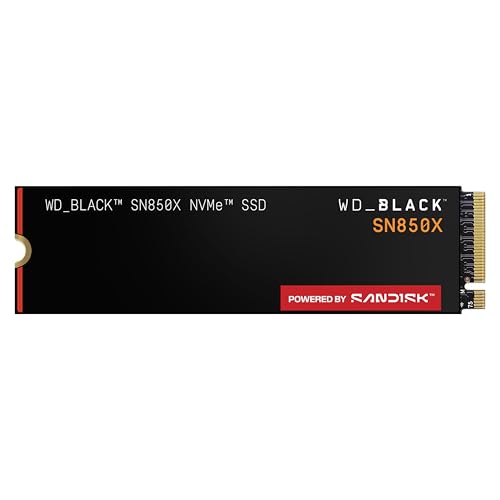
WD Black SN850X
Fast where it matters, with a cache arrangement that holds up when the drive fills.
- Sustains speed better than most when nearly full
- Runs cool enough for boards without a heatsink
- Long warranty and a good endurance rating
- Costs more per gigabyte than budget drives
- Sequential figures overstate the real-world gain
_20250226_002.png)
- Band
- $$$ Upper-mid tier
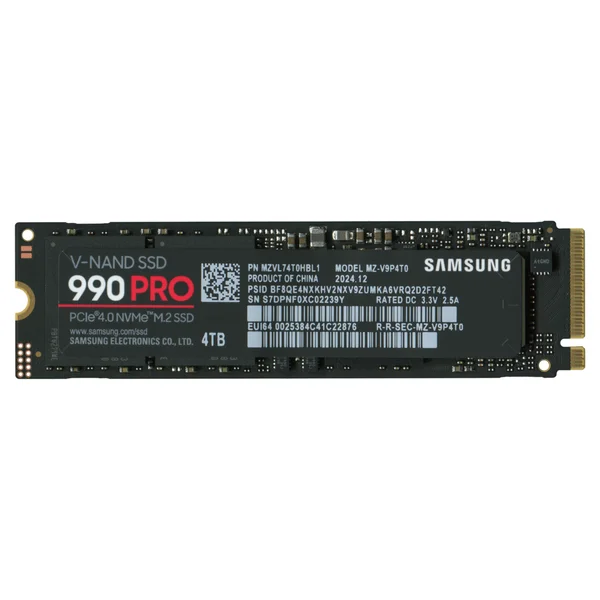
Samsung 990 Pro
The drive to buy when it is also doing professional work, not only loading games.
- Excellent sustained write performance
- Strong endurance rating for heavy workloads
- Mature firmware with a long support record
- Premium price for gains games rarely expose
- Runs warm enough to want a heatsink

- Band
- $ Budget tier
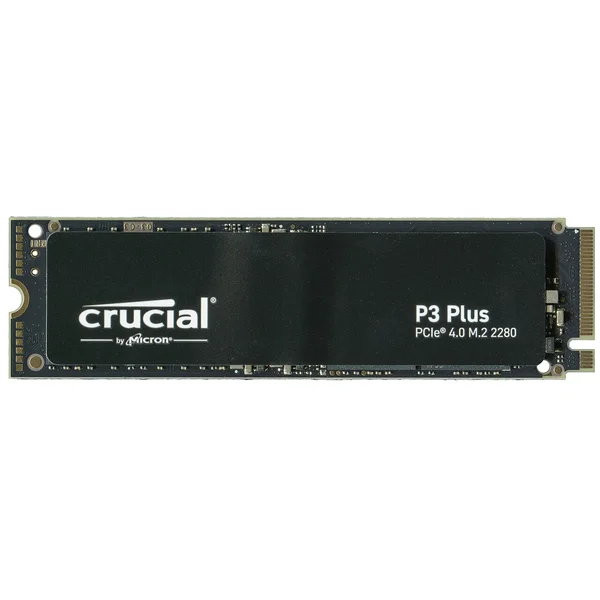
Crucial P3 Plus
Enough drive for a game library, provided you understand what happens when it fills.
- Cheapest sensible route to real capacity
- Fast enough that games load without complaint
- Low power draw and cool running
- Write speed collapses once the cache is exhausted
- Shorter warranty and lower endurance rating
 (opens Amazon in a new tab)
 - Band
- $$ Mid tier
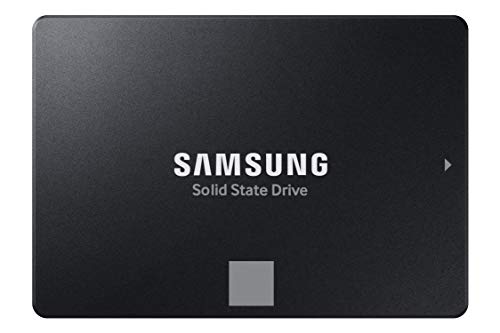
Samsung 870 EVO
The answer when the board has no slot free and you need capacity anyway.
- Works in any machine with a spare drive connection
- Very consistent performance regardless of fill level
- Excellent reliability record over many years
- Substantially slower than any fast drive
- Requires a cable and a mounting point
Questions people ask
Does a faster SSD reduce game loading times?
Barely, once you are already on a solid-state drive of any kind. The jump from a mechanical disk to a solid-state drive is enormous and immediately obvious. The jump from a mid-range solid-state drive to the fastest one available is usually a fraction of a second in a loading screen, because game loading is limited by decompression and by the processor more than by how fast the drive can deliver bytes. Buy capacity first and speed second.
How much storage do I need?
Two terabytes is the comfortable answer for a gaming machine today, and one terabyte is the practical floor once the operating system and a handful of large modern titles are installed. Individual games now routinely exceed a hundred gigabytes, and the difference in price between one and two terabytes is far smaller than the difference in how often you will be deleting things to make room. Running a drive permanently near full also costs you performance.
What is the cache, and why does it matter?
Most consumer drives write incoming data to a fast buffer first and move it to slower permanent storage afterwards. While the buffer has room, the drive is very fast. When you write more than the buffer can hold in one go, speed drops sharply, sometimes below what a much older drive would manage. This is why a drive can review well and then feel slow copying a large game, and why the buffer behaviour matters more day to day than the headline sequential figure.
WD Black SN850X
Fast where it matters, with a cache arrangement that holds up when the drive fills.