
We have not tested these products. This comparison is reasoned from manufacturer specifications, documentation and warranty terms. How we test
If you buy through a link on this page we may earn a commission. Retailers do not pay for reviews or placement. Prices are shown as bands, never as figures — the live price is at the retailer. As an Amazon Associate I earn from qualifying purchases. How we make money
On this page
The short version
Enough capacity for most builds, a long warranty, and a fan that stays off at idle.
See at Amazon — Corsair RM750e (opens in a new tab)Headroom for a large card and a build quality reputation earned over a long time.
See at Amazon — Seasonic Focus GX-850 (opens in a new tab)Modern connectors and real capacity at a price that usually buys neither.
See at Amazon — MSI MAG A850GL (opens in a new tab)The answer when the case takes a small-form-factor unit and nothing larger fits.
See at Amazon — Corsair SF750 (opens in a new tab)The power supply is the component people cut to fund something more exciting, and it is the only one whose failure can take other parts with it. It is also the component where the specification on the box is least representative of what you are buying. Our guide to choosing a power supply covers the fundamentals behind everything below.
What the label does not tell you
The number on the front is a peak figure under conditions that may not resemble your machine. What matters is the continuous rating on the twelve-volt rail, because that rail is what feeds the graphics card and the processor, and that is where a weak unit fails first.
The second thing the box does not tell you is who made it. Very few companies manufacture power supplies; many companies sell them. The brand on the label and the platform inside are different facts, which is why reputation attaches to specific units rather than to whole ranges.
Modern connectors are now part of the decision
Recent high-end graphics cards use a connector that older supplies do not carry. The adapter that ships in the card box works, and it is a fallback rather than a recommendation: it converts several older connectors into one, and it puts a junction in the highest-current path in the machine.
If you are buying a supply for a card that uses it, buy a supply with the connector native. In a compact case that will not take a conventional supply, the Corsair SF750 (at Amazon, opens in a new tab) packs that same capacity into a small-form-factor enclosure. In a case that small, whether the cables detach matters as much as the connectors, which our modular vs non-modular comparison covers.
How we chose
We have not opened these units, put them on a load tester, or measured ripple. Nobody here has that equipment, and this guide says so rather than implying a laboratory. What it rests on is warranty length, manufacturer service record, connector provision, and the capacity fit for the builds people actually make. Where a unit is a close call we have said which way we lean and why. Our wattage sizing guide walks through the calculation referenced above, and our full RM750e review goes deeper on our top pick specifically. If the budget is tighter, our budget power supply picks cover the lower price brackets, and our guide to fitting the unit in the case covers the installation.
Free tool PC Build Compatibility Checker — Will your GPU, PSU, cooler and case actually fit together?The picks
 (opens Amazon in a new tab)
 - Band
- $$ Mid tier
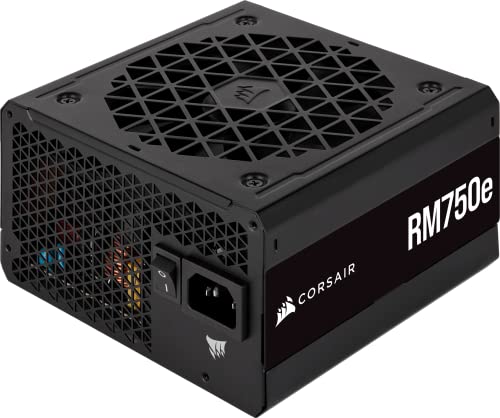
Corsair RM750e
Enough capacity for most builds, a long warranty, and a fan that stays off at idle.
- Long warranty from a manufacturer that honours it
- Fully modular, so unused cables never enter the case
- Fan stays stopped under light load
- Capacity leaves little headroom for a flagship card
- Cable set is adequate rather than generous
 (opens Amazon in a new tab)
 - Band
- $$$ Upper-mid tier
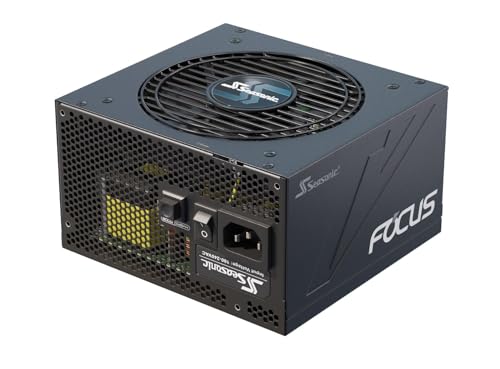
Seasonic Focus GX-850
Headroom for a large card and a build quality reputation earned over a long time.
- Generous headroom for demanding graphics cards
- Long warranty and a strong service record
- Quiet under sustained load, not only at idle
- Costs meaningfully more than adequate alternatives
- Physically longer than some compact cases allow
 (opens Amazon in a new tab)
 - Band
- $ Budget tier
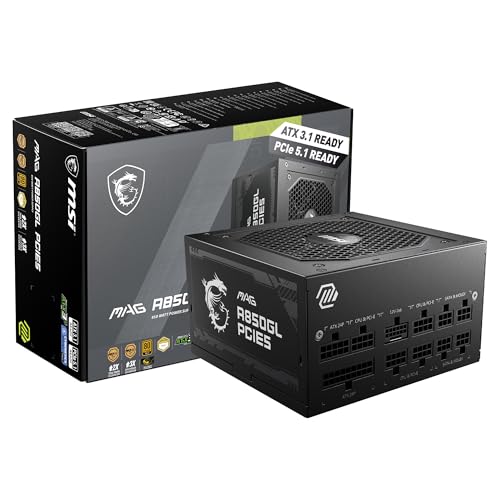
MSI MAG A850GL
Modern connectors and real capacity at a price that usually buys neither.
- Native modern graphics connector included
- Capacity that suits a mid-range card comfortably
- Fully modular at a budget price
- Shorter warranty than the premium alternatives
- Louder than the quieter units under heavy load
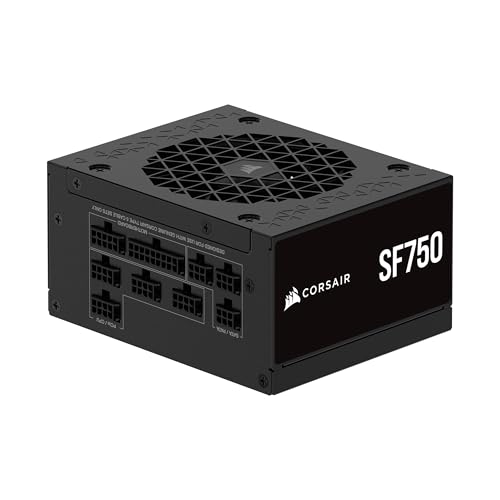 (opens Amazon in a new tab)
 - Band
- $$$$ Premium tier
Corsair SF750
The answer when the case takes a small-form-factor unit and nothing larger fits.
- Full capacity in a genuinely small enclosure
- Makes serious hardware possible in a compact case
- Modular cabling matters more here than anywhere
- Costs far more than an equivalent standard unit
- Small fan is audible under sustained heavy load
Questions people ask
How many watts do I actually need?
Add the manufacturer figure for your graphics card to the figure for your processor, then add roughly seventy-five watts for everything else in the machine, and buy a supply comfortably above that total rather than exactly at it. Headroom is not waste: supplies run most efficiently and most quietly around half load, and a unit permanently near its ceiling ages faster and spins its fan harder. Our compatibility checker will do the arithmetic against your specific parts.
Does the efficiency rating matter?
Less than the marketing implies, and it is a useful proxy for something that does matter. The electricity saved by moving up one certification level is small enough that it will not repay the price difference in most homes. What the rating tends to indicate is the quality of the components inside, because a manufacturer building to a higher efficiency target is usually building to a higher standard generally. Treat it as a signal about construction rather than a calculation about your bill.
Can I keep the power supply from my old machine?
Sometimes, and it is worth more scrutiny than people give it. Capacitors degrade with heat and time, so a unit that was excellent when new may not deliver its rated output after eight years of service. Check its age, whether it has the connectors your new graphics card actually requires, and whether its capacity suits the new build rather than the old one. A power supply failing under load can damage what it is attached to, which makes this the wrong component to economise on.
Corsair RM750e
Enough capacity for most builds, a long warranty, and a fan that stays off at idle.
