
We have not tested these products. This comparison is reasoned from manufacturer specifications, documentation and warranty terms. How we test
If you buy through a link on this page we may earn a commission. Retailers do not pay for reviews or placement. Prices are shown as bands, never as figures — the live price is at the retailer. As an Amazon Associate I earn from qualifying purchases. How we make money
On this page
The short version
Two large front intakes and a mesh panel that does not fight them. Cooling first.
See at Amazon — Lian Li Lancool 216 (opens in a new tab)The one that looks like furniture and still breathes, provided you buy the mesh side.
See at Amazon — Fractal Design North (opens in a new tab)Four fans included and a mesh front, at a price where you usually get neither.
See at Amazon — Montech Air 903 Max (opens in a new tab)The safe recommendation for years, and still hard to argue with for a first build.
See at Amazon — Corsair 4000D Airflow (opens in a new tab)A case does one thermal job: get cool air to the components and warm air out again. Everything else about it is preference. The cases that do that job well share a small number of characteristics, covered in more depth in our cooling guide.
What actually matters
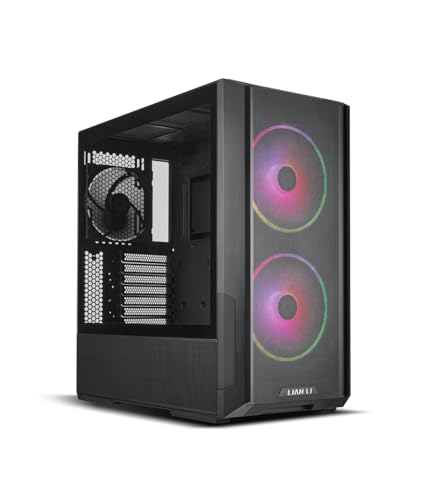
An unrestricted intake. This is the whole argument. A fan behind a solid panel with slots at the edges is working against a restriction, and it responds by getting louder while moving less air. Mesh in front of the intake fans is worth more than any other single feature, which is why the Lian Li Lancool 216 (at Amazon, opens in a new tab) leads this list on two large, genuinely unrestricted front fans alone.
A clear front-to-back path. Air should come in at the front, cross the graphics card and the processor cooler, and leave at the back and top. Drive cages, cable bundles and radiators sitting in that path all cost you.
Room for the parts. Clearance for the cooler height, the card length and the radiator you intend to fit. All three are published and all three are worth checking. If the cooler is still undecided, choosing a CPU cooler first makes the height check straightforward.
What matters less than the marketing suggests
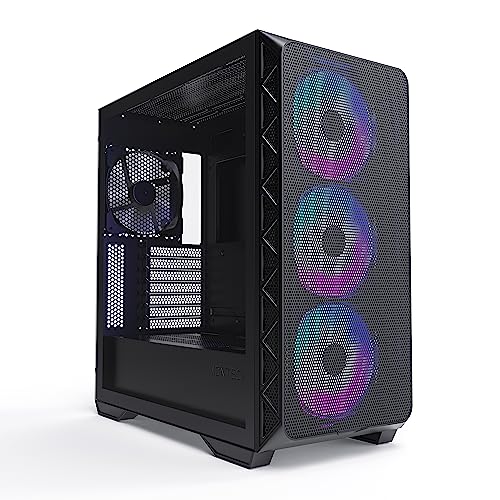
Fan count beyond three or four — the Montech Air 903 Max (at Amazon, opens in a new tab) ships four in the box, which is more than most builds need rather than a shortfall to fix. Radiator support in a build with an air cooler. Cable management channels, which are a convenience rather than a temperature. Internal volume beyond what your parts need.
How we chose
We have not run thermal comparisons between these cases. This guide rests on intake geometry, published clearance figures, included fan provision and panel construction. Where two cases are close, we have said which trade we would rather make. Our case fan roundup and guide to setting up case fans cover what goes inside these cases once you have chosen one.
Free tool PC Build Compatibility Checker — Will your GPU, PSU, cooler and case actually fit together?The picks
 (opens Amazon in a new tab)
 - Band
- $$ Mid tier
Lian Li Lancool 216
Two large front intakes and a mesh panel that does not fight them. Cooling first.
- Large front fans move serious air at low speed
- Genuinely unrestricted front intake
- Sensible cable routing for the price
- Mesh front lets fan and component noise out
- Styling is functional rather than elegant
 (opens Amazon in a new tab)
 - Band
- $$ Mid tier
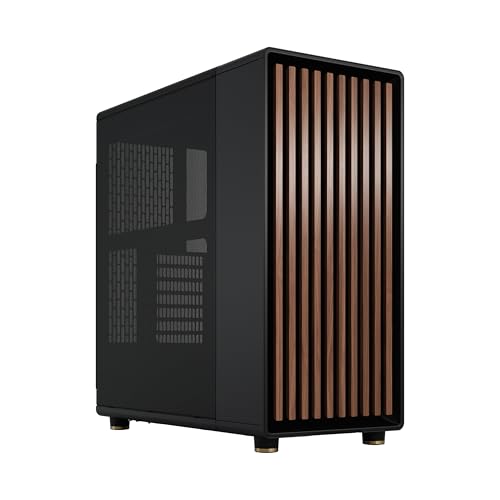
Fractal Design North
The one that looks like furniture and still breathes, provided you buy the mesh side.
- Genuinely attractive without sacrificing intake area
- Wood front is a real material, not a print
- Well-planned interior for cable routing
- Glass side panel version restricts airflow noticeably
- Costs more than equivalent airflow elsewhere
 (opens Amazon in a new tab)
 - Band
- $ Budget tier
Montech Air 903 Max
Four fans included and a mesh front, at a price where you usually get neither.
- Includes enough fans to fill it out of the box
- Unrestricted mesh front and generous internal volume
- Very cheap for what it does thermally
- Included fans are noisier than aftermarket ones
- Fit and finish reflect the price
- Band
- $$ Mid tier
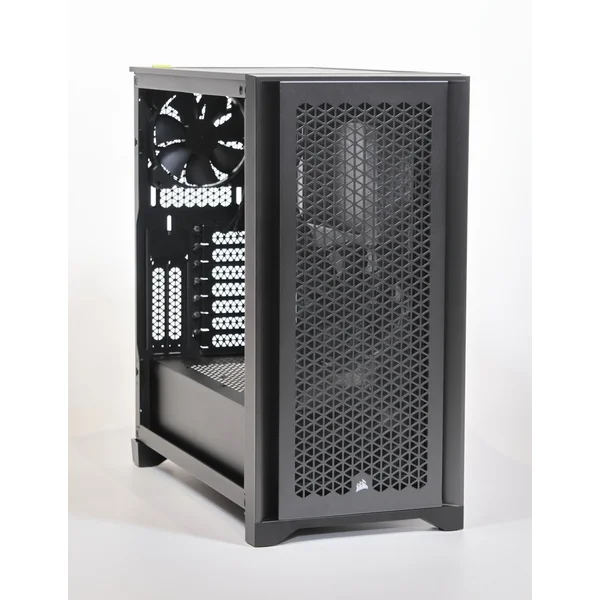
Corsair 4000D Airflow
The safe recommendation for years, and still hard to argue with for a first build.
- Easy to build in, with everything where you expect it
- Good clearance for tall coolers and long cards
- Restrained styling that has aged well
- Only two fans included for its size
- Outperformed on raw airflow by newer designs
Questions people ask
Does a mesh front really make a difference?
A large one, and it is the single most consequential thing about a case thermally. A solid front panel with narrow slots down the sides forces the intake fans to pull air through a restriction, and the fans respond by working harder and getting louder to move less air. An open mesh front lets them do their job at low speed. The trade is noise: mesh lets component sound out as freely as it lets air in, so the quietest cases are usually the ones that breathe worst.
How many fans do I actually need?
Three is a sensible baseline: two drawing air in at the front and one pushing it out at the back. That gives you a clear front-to-back path across the components that generate the heat. More fans help less than people expect, and a fourth or fifth in the wrong position can actively hurt by disrupting the path the first three established. Position and unobstructed intake matter considerably more than count.
Should I run positive or negative pressure?
Slightly positive, meaning marginally more air coming in than going out, which is the arrangement most builds fall into anyway with two intakes and one exhaust. The benefit is dust: with positive pressure, air enters through the filtered intakes rather than being drawn through every unfiltered gap in the chassis. Negative pressure cools marginally better in some configurations and turns the inside of your machine into a dust trap, which costs you more thermally within a year than it gained on day one.
Lian Li Lancool 216
Two large front intakes and a mesh panel that does not fight them. Cooling first.