
We have not tested these products. This comparison is reasoned from manufacturer specifications, documentation and warranty terms. How we test
If you buy through a link on this page we may earn a commission. Retailers do not pay for reviews or placement. Prices are shown as bands, never as figures — the live price is at the retailer. As an Amazon Associate I earn from qualifying purchases. How we make money
On this page
The short version
The connectivity people actually use, on a chipset that leaves the upgrade path open.
See at Amazon — MSI MAG B650 Tomahawk WiFi (opens in a new tab)More storage slots and more expansion than most builds need, which is the point.
See at Amazon — Gigabyte X670 Aorus Elite AX (opens in a new tab)The sensible board on the other platform, with the connectivity that matters intact.
See at Amazon — ASUS TUF Gaming B760-Plus WiFi (opens in a new tab)The cheapest board on the current socket that does not compromise where it matters.
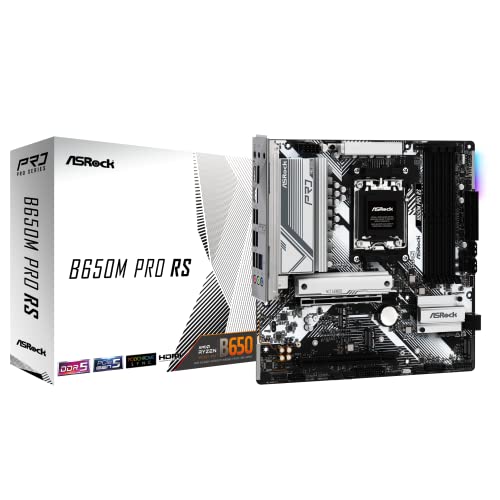
See at Amazon — ASRock B650M Pro RS (opens in a new tab)A motherboard is the least exciting expensive component in a build and the one that quietly sets your ceiling. It will not make anything faster. It decides what you can attach and how long the machine stays upgradeable. Our motherboard buying guide goes through the fundamentals behind the picks below.
The three things worth paying for
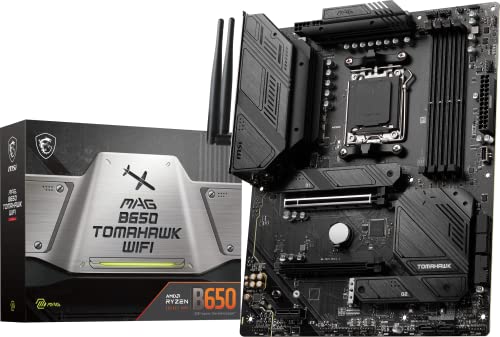
Power delivery. The circuitry feeding the processor. A board with thin provision will run a high-core processor, get hot doing it, and reduce clock speeds under sustained load. This is the one place where a cheap board costs you measurable performance, which is where a board like the MSI MAG B650 Tomahawk WiFi (at Amazon, opens in a new tab) earns its price over the cheapest options on the socket.
Connectivity you will actually use. Count the rear ports and the internal headers against your real peripherals, not against a hypothetical future. Then count the fast storage slots, and check what happens to them when they are all populated, because on many boards filling one disables something else. The drives themselves are covered in our gaming SSD picks, and the NVMe versus SATA comparison explains which kind of connection each one uses.
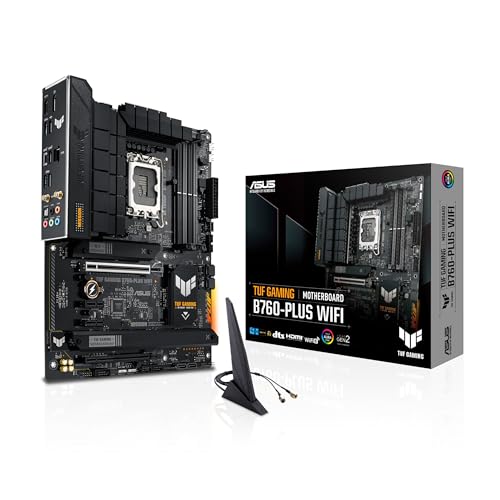
The upgrade path. The socket decides whether your next processor is a component purchase or a rebuild. On the competing platform, the ASUS TUF Gaming B760-Plus WiFi (at Amazon, opens in a new tab) keeps that same connectivity intact, and the ASRock B650M Pro RS (at Amazon, opens in a new tab) does it at the budget end of the current socket.
What is not worth paying for
Heatsink styling, lighting, bundled software, and audio marketing. The audio on a mid-range board is fine, and if it is not fine for you, an external interface solves it better than a more expensive board ever will. Once the board is chosen, how much RAM you actually need and our RAM roundup cover the memory side of the platform, and our guide to fitting an M.2 drive covers the storage side.
How we chose
We have not tested these boards. This guide rests on published specifications, power-delivery provision, connectivity counts, socket longevity and firmware update facilities. The compatibility checker will confirm a board suits the rest of your parts.
Free tool PC Build Compatibility Checker — Will your GPU, PSU, cooler and case actually fit together?The picks
 (opens Amazon in a new tab)
 - Band
- $$ Mid tier
MSI MAG B650 Tomahawk WiFi
The connectivity people actually use, on a chipset that leaves the upgrade path open.
- Power delivery comfortable for high-core processors
- Enough rear connectivity to avoid a hub
- Wireless networking included as standard
- Fewer fast storage slots than the tier above
- Costs more than the entry boards for the same socket
 (opens Amazon in a new tab)
 - Band
- $$$ Upper-mid tier
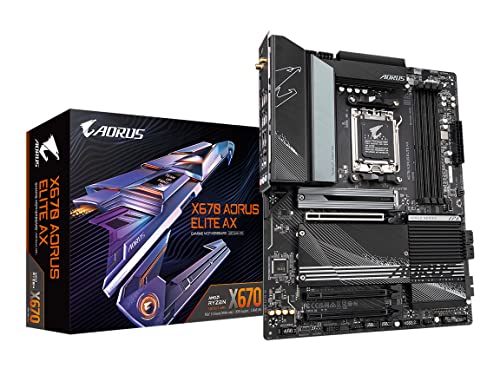
Gigabyte X670 Aorus Elite AX
More storage slots and more expansion than most builds need, which is the point.
- Generous fast storage provision
- Strong power delivery for the top processors
- Extensive rear connectivity
- Premium price for capacity many builds never use
- Larger heatsinks can crowd a tall cooler
 (opens Amazon in a new tab)
 - Band
- $$ Mid tier
ASUS TUF Gaming B760-Plus WiFi
The sensible board on the other platform, with the connectivity that matters intact.
- Solid power delivery for mainstream processors
- Wireless networking and good rear connectivity
- Well-documented firmware
- Socket has a shorter upgrade path ahead of it
- Fewer fast storage slots than rivals
 (opens Amazon in a new tab)
 - Band
- $ Budget tier
ASRock B650M Pro RS
The cheapest board on the current socket that does not compromise where it matters.
- Current socket at an entry price
- Compact format suits small cases
- Adequate power delivery for mid-range processors
- Power delivery is stretched by top processors
- Limited rear connectivity and expansion
Questions people ask
Does the motherboard affect gaming performance?
Almost not at all, provided the power delivery is adequate for the processor you fit. Two boards with the same chipset and a competent design will produce frame rates within a margin you could not detect without instrumentation. What a motherboard decides is everything around performance: how many drives you can fit, what you can plug in, how far you can upgrade before replacing it, and whether the processor can draw what it needs under sustained load without the board getting hot.
What does the chipset actually determine?
How many fast connections the board can offer and how they are divided up. A higher chipset gives you more storage slots running at full speed, more expansion lanes, and usually more rear connectivity, and it typically permits processor overclocking where a lower one does not. What it does not give you is more speed for a given set of components. If your build is a processor, a graphics card and one or two drives, a mid-tier chipset has everything you will use.
Do I need to update the BIOS before fitting a new processor?
Frequently, yes, if the processor is newer than the board on the shelf, because a board only recognises processors its firmware knows about. Many current boards can do this with no processor installed at all, using a dedicated button and a file on a memory stick, and that feature is genuinely worth checking for before you buy. Without it you can end up needing an older processor just to boot the machine far enough to update it.
MSI MAG B650 Tomahawk WiFi
The connectivity people actually use, on a chipset that leaves the upgrade path open.