
We have not tested these products. This comparison is reasoned from manufacturer specifications, documentation and warranty terms. How we test
If you buy through a link on this page we may earn a commission. Retailers do not pay for reviews or placement. Prices are shown as bands, never as figures — the live price is at the retailer. As an Amazon Associate I earn from qualifying purchases. How we make money
On this page
The short version
A single-cable dock and a curve gentle enough not to distort straight lines.
See at Amazon — Dell UltraSharp U3423WE (opens in a new tab)The same working width without the docking features you may not need.
See at Amazon — LG 34WN80C-B (opens in a new tab)The cheapest route to a genuinely usable ultrawide working surface.
See at Amazon — Samsung ViewFinity S6 (opens in a new tab)An ultrawide is not a bigger monitor. It is a different aspect ratio, and whether it helps depends entirely on how you arrange windows.
The actual benefit
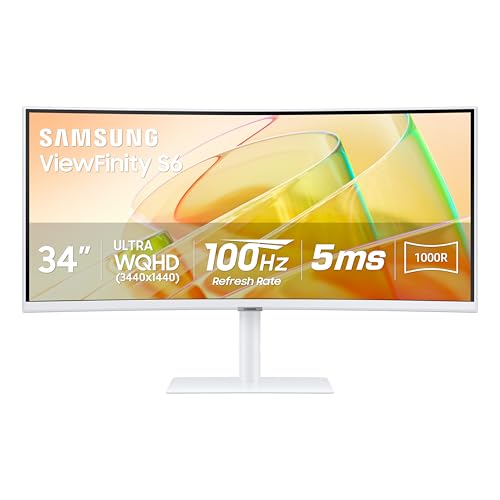
Three tiled windows at a comfortable width each. That is the case an ultrawide wins decisively — a document, a browser and a chat window side by side without any of them being uselessly narrow. If you want to try that without a large outlay, the Samsung ViewFinity S6 (at Amazon, opens in a new tab) is the budget route in.
If instead you work full-screen in one application and alt-tab, an ultrawide gives you very little. A large 16:9 panel would serve you better and cost less.
The bezel question decides it
This is the real fork in the decision, and it is a preference rather than a correct answer:
- Two monitors give you a physical divide. Windows snap to it. You always know where the boundary is, and full-screening an application is meaningful.
- One ultrawide gives you continuous space with no divide, which is better for arbitrary window widths and worse for full-screen habits.
Curve radius matters more than people expect
Published as a number like 1800R or 3800R, where larger is gentler. At desk distance a tight curve makes straight lines bow visibly, which is genuinely distracting in a spreadsheet or an editor. For productivity, prefer a gentler curve, which is one reason the Dell UltraSharp U3423WE (at Amazon, opens in a new tab) is our pick. Larger panels also want to sit further back — see the monitor height and distance guide.
The pixel cost is real if you game
At 3440x1440 you are asking for around 35% more pixels than 2560x1440. For desktop work that is irrelevant. For games it lands squarely on the graphics card, and it is the most common reason people are disappointed with ultrawide gaming performance on a card that handled 1440p comfortably.
The picks
 (opens Amazon in a new tab)
 - Band
- $$$ Upper-mid tier
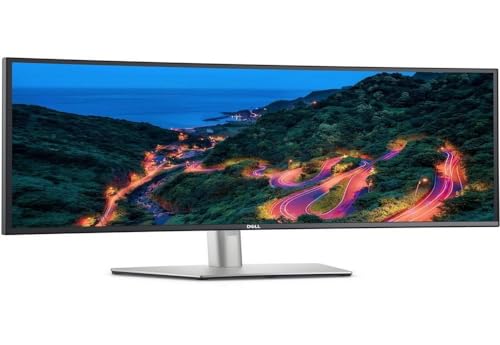
Dell UltraSharp U3423WE
A single-cable dock and a curve gentle enough not to distort straight lines.
- Single-cable docking with power delivery
- Gentle curve keeps lines straight
- Built-in KVM for two machines
- Refresh rate is workstation-grade, not gaming-grade
- Premium price for the panel
 (opens Amazon in a new tab)
 - Band
- $$ Mid tier
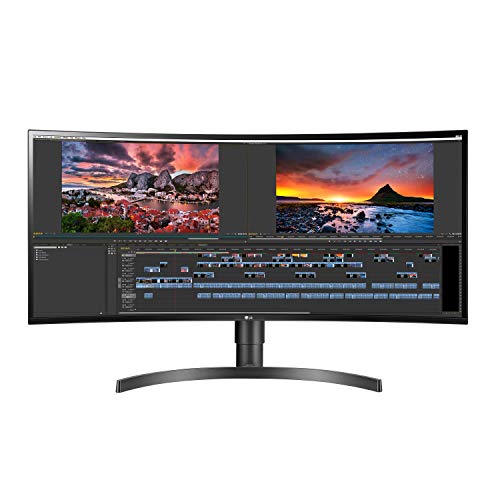
LG 34WN80C-B
The same working width without the docking features you may not need.
- Same 21:9 working width
- USB-C with useful power delivery
- Well-calibrated out of the box
- No KVM
- Stand is mediocre — plan for an arm
 (opens Amazon in a new tab)
 - Band
- $$ Mid tier
Samsung ViewFinity S6
The cheapest route to a genuinely usable ultrawide working surface.
- Lowest cost per horizontal pixel here
- USB-C connectivity included
- Slim bezels
- Colour accuracy needs calibration
- Basic stand
Questions people ask
Is one ultrawide better than two monitors?
It depends on whether you want a bezel in the middle. Two monitors give you a hard physical divide, which is genuinely useful if you keep one full-screen application on each. An ultrawide gives you one continuous surface, which is better if you tile three or four windows at arbitrary widths. Neither is universally better; they suit different window-management habits.
Does an ultrawide need a powerful graphics card?
For desktop work, no — any modern integrated graphics will drive one at a normal refresh rate. For gaming it is a different question, because a 21:9 panel at 3440x1440 is roughly 35% more pixels than 2560x1440, and that cost lands directly on the GPU. If the same machine games, budget for that.
How much curve is right?
For desk work at arm's length, a gentle curve — a large radius — is preferable, because a tight curve makes straight lines visibly bow, which is distracting in documents, spreadsheets and code. Tighter curves suit gaming and immersive use at closer viewing distances. The radius is published as a number like 1800R; a larger number is a gentler curve.
Dell UltraSharp U3423WE
A single-cable dock and a curve gentle enough not to distort straight lines.