
We have not tested these products. This comparison is reasoned from manufacturer specifications, documentation and warranty terms. How we test
If you buy through a link on this page we may earn a commission. Retailers do not pay for reviews or placement. Prices are shown as bands, never as figures — the live price is at the retailer. As an Amazon Associate I earn from qualifying purchases. How we make money
On this page
The short version
External, and the right default: no slot needed, moves between machines, no drivers.
See at Amazon — Elgato Game Capture HD60 X (opens in a new tab)If you are capturing at the top of the range, capability matters more than the format.
See at Amazon — Elgato Game Capture 4K X (opens in a new tab)The choice is mostly practical. The performance difference is real and small; the convenience difference is large.
External
Sits on the desk, connects by cable, usually needs no drivers, and moves to another machine in seconds. It works with a laptop, which internal cards cannot. The Elgato Game Capture HD60 X (at Amazon, opens in a new tab) is the external default, and the Elgato Game Capture 4K X (at Amazon, opens in a new tab) the one when capture capability outranks the format.
Costs you two cables and a small amount of extra capture latency, neither of which matters if you are playing on the pass-through as you should be.
Internal
Goes into an expansion slot, so nothing sits on the desk and nothing gets unplugged by accident. Lower capture latency because it talks directly to the bus.
Requires a desktop with a free slot, physical clearance beneath the graphics card, and a check of the board manual for what else that slot shares its connection with.
How we compared these
This comparison rests on the connection each format uses, published capture and pass-through specifications, and the physical constraints of fitting an expansion card. Nothing was tested here.
The picks
 (opens Amazon in a new tab)
 - Band
- $$ Mid tier
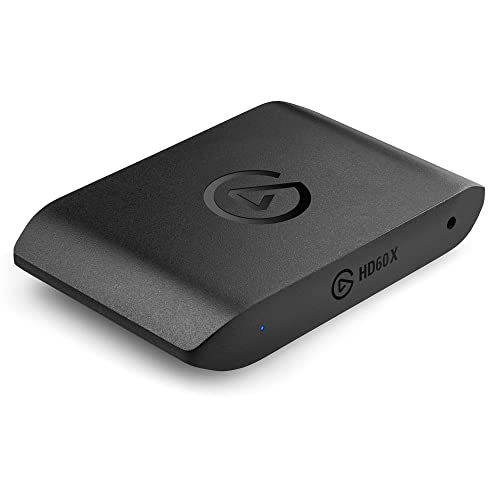
Elgato Game Capture HD60 X
External, and the right default: no slot needed, moves between machines, no drivers.
- Works on any machine with no internal access
- Moves to a laptop or another computer freely
- Typically needs no drivers at all
- A box and two more cables on the desk
- Slightly higher capture latency
 (opens Amazon in a new tab)
 - Band
- $$$$ Premium tier
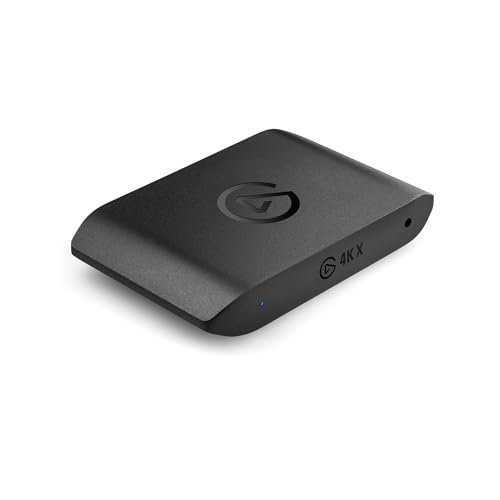
Elgato Game Capture 4K X
If you are capturing at the top of the range, capability matters more than the format.
- Handles the highest capture and pass-through rates
- Onboard encoding takes load off the computer
- Generous connectivity
- Expensive relative to mainstream options
- Requires a fast connection to the computer
Questions people ask
Is an internal card faster?
Slightly, because it connects directly to the expansion bus rather than through a peripheral connection, so there is less buffering between the card and the software. In practice the difference is small enough that it rarely changes anything, because you should be playing on the pass-through rather than on the captured feed regardless. If you are noticing capture latency, the more likely culprit is your software configuration than the format of the card.
Does an internal card use a slot I need?
It occupies an expansion slot, and on many boards that slot shares its connection with something else, so populating it can reduce the speed of another slot or disable a set of ports. Your board manual documents this in a table. It is also worth checking physical clearance: modern graphics cards are thick enough to block the slots immediately beneath them, which is frequently exactly where a capture card would go.
Which should I buy if I might change computers?
External, without much hesitation. It unplugs and connects to the next machine with no tools, no case opening and no compatibility question about slots or clearance. Internal cards are tied to a machine with a free, accessible slot of the right type, which is a constraint you inherit every time you upgrade. For most people the small latency advantage does not outweigh being able to move the thing.