
We have not tested these products. This comparison is reasoned from manufacturer specifications, documentation and warranty terms. How we test
If you buy through a link on this page we may earn a commission. Retailers do not pay for reviews or placement. Prices are shown as bands, never as figures — the live price is at the retailer. As an Amazon Associate I earn from qualifying purchases. How we make money
On this page
The short version
Fifteen keys is the size that stops you building folders inside folders.
See at Amazon — Elgato Stream Deck MK.2 (opens in a new tab)Six keys covers the actions most people actually use during a live session.
See at Amazon — Elgato Stream Deck Mini (opens in a new tab)Not a controller, but the desk purchase that improves a stream more for similar money.
See at Amazon — Elgato Wave Mic Arm LP (opens in a new tab)A control surface is a row of programmable keys with small screens on them. It automates nothing you could not do with keyboard shortcuts, and it removes the fumbling that a keyboard shortcut requires you to remember.
What it actually solves
Recall. You do not have to remember which key combination mutes the microphone. The key says so, with an icon.
Visible fumbling. Hunting across a keyboard mid-sentence is obvious on camera. Pressing a labelled button is not.
Context. Keys can change with what you are doing, so the same physical button means different things in different scenes. Switching to the console feed from your capture card can be a single key.
The honest position
This is a convenience purchase. If you go live daily, the friction it removes is real and compounding. If you stream occasionally, the money buys more improvement in a microphone arm such as the Elgato Wave Mic Arm LP (at Amazon, opens in a new tab), a light or acoustic treatment.
How we chose
Nothing here was tested in a live session by us. This guide rests on key counts, published software and plugin support, physical dimensions and mounting.
The picks
 (opens Amazon in a new tab)
 - Band
- $$$ Upper-mid tier
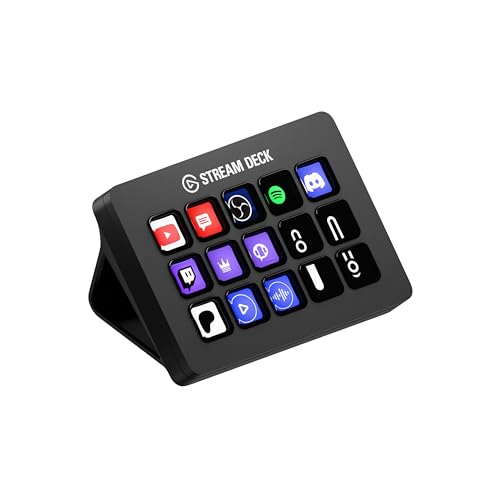
Elgato Stream Deck MK.2
Fifteen keys is the size that stops you building folders inside folders.
- Enough keys to avoid nesting everything
- Screens on the keys mean labels never go stale
- Very broad third-party plugin support
- Costs more than the number of buttons suggests
- Occupies real desk space
 (opens Amazon in a new tab)
 - Band
- $$ Mid tier
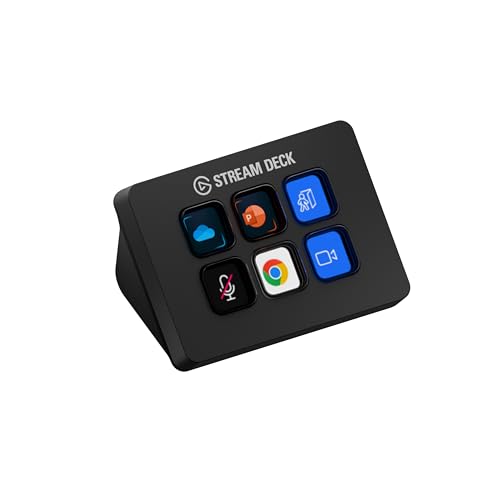
Elgato Stream Deck Mini
Six keys covers the actions most people actually use during a live session.
- Same software and plugin ecosystem
- Small footprint on a crowded desk
- Considerably cheaper than the full size
- Six keys fills up faster than expected
- Nesting into folders slows you down live
 (opens Amazon in a new tab)
 - Band
- $$ Mid tier
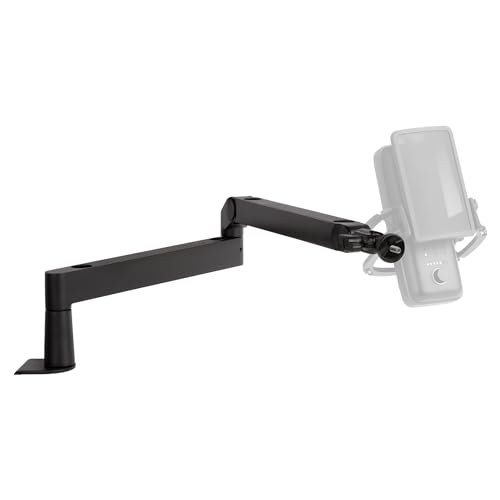
Elgato Wave Mic Arm LP
Not a controller, but the desk purchase that improves a stream more for similar money.
- Low-profile design stays out of the camera frame
- Internal cable channel keeps the desk tidy
- Isolates the microphone from desk knocks
- Lower reach than a conventional tall arm
- Clamp needs a suitable desk edge
Questions people ask
Do I actually need one?
No, and that is worth saying plainly. Everything a control surface does can be done with keyboard shortcuts, and shortcuts are free. What the hardware buys is that you do not have to remember them, that the labels are on the keys and change with context, and that you are not visibly hunting across a keyboard on camera. Whether that is worth the money depends entirely on how often you go live and how much the fumbling bothers you.
What size should I get?
Count the actions you genuinely reach for during a live session, then add a few. Most people land between six and fifteen, which is exactly why those two sizes exist. The reason not to undersize is that the moment you exceed the key count you start nesting actions inside folders, and a folder press followed by an action press during a live show is slower and more error-prone than the keyboard shortcut you were trying to replace.
Does it work with software other than streaming apps?
Extensively, and this is where people get more value than they expected. The plugin ecosystem covers audio applications, video editors, browsers, smart home devices, and arbitrary scripts, which means the same hardware is useful outside a live session. Plenty of people who bought one for streaming end up using it mostly for editing and for general shortcuts, which changes the value calculation considerably.
Elgato Stream Deck MK.2
Fifteen keys is the size that stops you building folders inside folders.